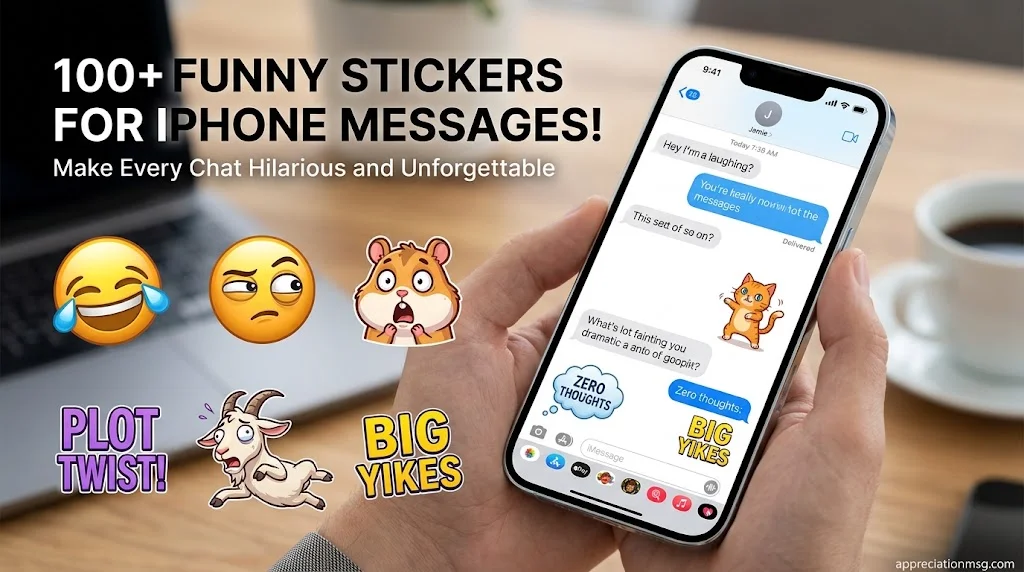
Plain text can feel flat. Funny stickers for iPhone messages fix that in one tap. A face, a joke, or a reaction says what words can’t.
This guide gives you 100 funny iMessage stickers, easy setup steps, top sticker apps, and fun message effects. Apple held about 60% of the US smartphone market in the first quarter of 2026, according to Omdia data reported by MacTech. So your group chat is probably full of iPhones.
Table of Contents
How to Get Funny Stickers for iPhone Messages
Getting funny stickers for iPhone takes under a minute. Follow these steps.
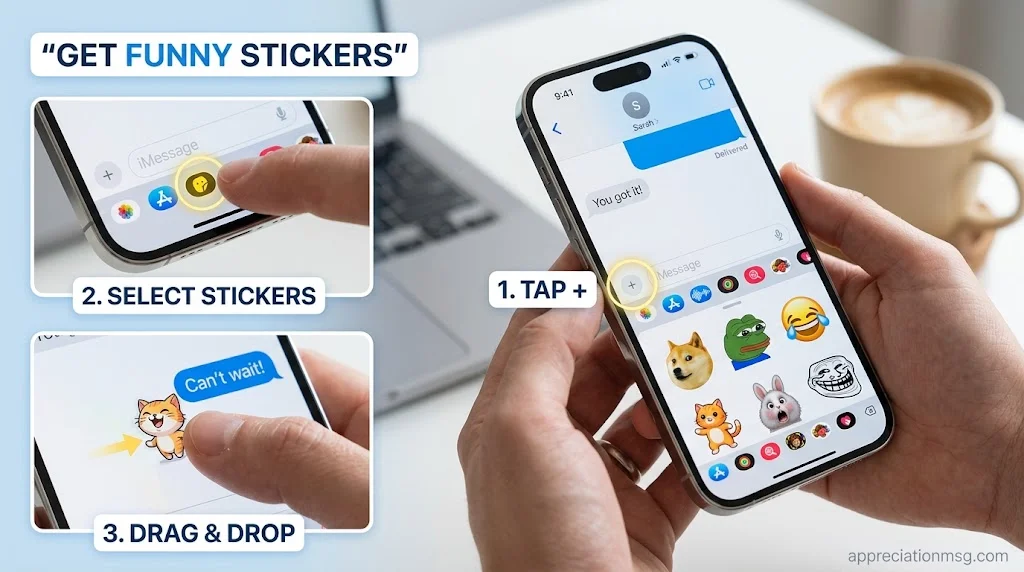
How do you get funny stickers on iPhone?
Open the Messages app and tap the + button.
Tap Stickers to see your sticker drawer.
Add new packs. Stickers from other creators come from sticker apps in the App Store.
Tap a sticker to send it. Or drag it onto a message bubble.
You can angle a sticker or change its size once it sits on a bubble. Stack two or three for extra chaos.
How do you make your own funny stickers?
Use Live Stickers. They come from lifting a subject out of a photo and adding effects. Want it to move? Start with a Live Photo. A pet’s silly pose works best.
How do you save a sticker a friend sent?
Tap Save to Stickers. It lands in your drawer for reuse.
You can also use the emoji keyboard. Apple lets you make a sticker from the iPhone keyboard.
Quick fixes:
Live Stickers won’t show for everyone. You can only share them with iPhone users on iOS 17 or later.
Stickers placed on bubbles need updated software. Both people need iOS 17.2 or later to see sticker updates.
Outside Messages, most apps turn Live Stickers into static ones or paste them as regular images.
For official steps, see Apple Support.
100 Funny iMessage Stickers for iPhone Chats
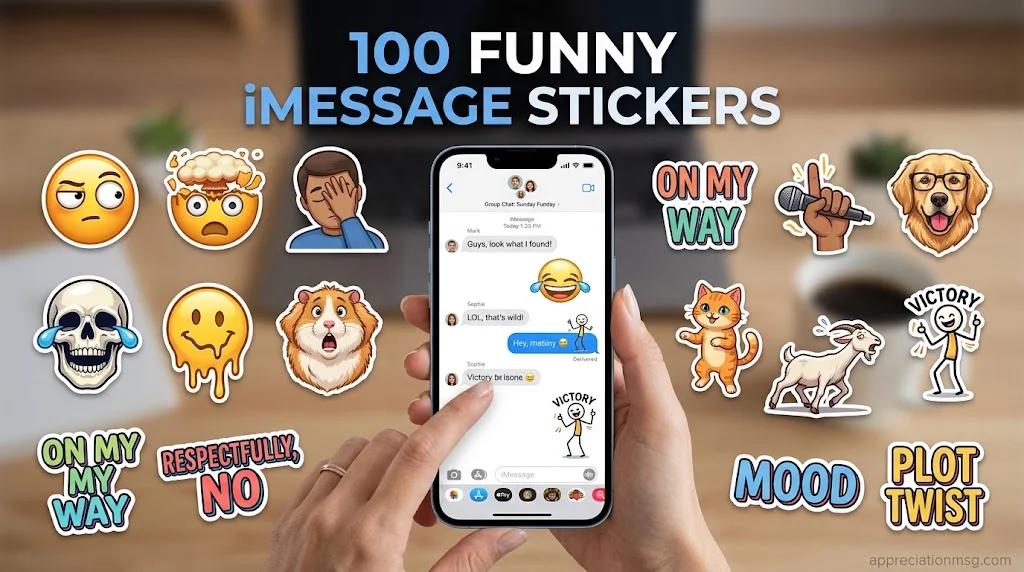
Here are 100 funny iPhone stickers sorted by mood. Each one has a “use it when” tip. Search these names in your sticker apps, or turn them into Live Stickers from your own photos.
Funny meme stickers for iMessage (20)
Side-Eye Stare: when a story sounds fishy.
Plot Twist Face: when news comes from nowhere.
Awkward Silence: when the group chat goes quiet.
Mind Blown: when you learn a wild fact.
Calm in Chaos: when everything is on fire.
Big Brain Moment: when your idea is oddly smart.
Receipts Ready: when you have proof.
Confused Calculations: when directions get messy.
Surprised Shock: when the tea is hot.
Unimpressed Shrug: when the news is old.
Crying Laughing Zoom: when the joke lands.
Eyebrow Raise: when someone brags.
Facepalm: when a friend repeats a mistake.
Cringe Wince: when a text goes to the wrong chat.
Smirk Check: when you were right all along.
Dramatic Gasp: when someone spoils the show.
Thinking Pose: when asked, “Where should we eat?”
Deadpan Stare: when a joke needs a pause.
Victory Pose: when you win the debate.
“Me When…” Dance: when payday hits.
Funny emoji stickers for iMessage (15)
Giant Skull Laugh: when you’re “dead” from laughing.
Extra-Large Crying Laugh: when a meme wrecks you.
Smirking Face Zoom: when you’re up to something.
Melting Face: when it’s too hot or too awkward.
Pleading Eyes: when you want the last slice.
Rolling Eyes: when you’ve heard it before.
Clown Face: when you roast yourself.
Zany Face: when chaos mode starts.
Salute Face: when you say, “Yes, boss.”
Shushing Face: when it’s a secret.
Monocle Face: when you say, “Interesting…”
Sweating Smile: when you’re nervous but smiling.
Party Face: when there’s good news.
Cold Face: when you’re freezing.
Upside-Down Face: when you say, “I’m fine.”
Funny animal stickers (15)
Dancing Cat: when the weekend arrives.
Judging Dog: when someone steals your fries.
Shocked Hamster: when the bill shows up.
Sleepy Sloth: when it’s Monday.
Zoomie Puppy: when plans get confirmed.
Grumpy Kitty: when you need a glare.
Dramatic Goat: when the news is too much.
Sassy Parrot: when you talk back.
Spitting Llama: when you’re annoyed.
Confident Penguin: when you walk into work.
Chilled Capybara: when you stay calm.
Startled Meerkat: when you hear your name.
Cheering Monkey: when it’s Friday.
Smug Pug: when you win.
Nervous Goldfish: when a test is near.
Funny text stickers for iPhone (20)
“On My Way”: sent from bed.
“Per My Last Text”: a polite nudge.
“Zero Thoughts”: when your brain is off.
“Not Me Crying”: a dramatic reply.
“Say Less”: when you agree to plans.
“Respectfully, No”: a kind refusal.
“Typing…” Forever: when words fail.
“Mood”: when you match a friend’s rant.
“I Can’t Even”: when you overreact.
“Big Yikes”: when news is awkward.
“Sorry, Phone Died”: a late reply.
“Who Asked?”: a playful tease.
“Plot Twist”: a surprise reveal.
“Hard Pass”: when you skip plans.
“Fashionably Late”: when you run behind.
“Wait, What?”: when you’re confused.
“Sounds Fake, But OK”: when you’re skeptical.
“Group Chat Is Loud”: at 2 a.m.
“Saw It, Busy”: a reply for later.
“Dinner? Yes.”: for any food invite.
Dramatic reaction stickers (15)
Mic Drop: when you end the debate.
Slow Clap: when someone earns it.
Eye Roll Spin: when you’re done listening.
Walk-Off Exit: when you leave the chat.
Curtain Close: when the story ends.
Victory Dance: when you win.
Gasp and Faint: when the gossip is huge.
Stage Bow: when you get praise.
Dramatic Wave Goodbye: when you sign off.
Thunderclap Reaction: when the news hits hard.
Applause Rain: when a friend gets a promotion.
Table Flip: when you’re mildly furious.
Spotlight Stare: when all eyes are on you.
Dramatic Sigh: when you’re tired of it all.
Hands-Up Surrender: when you lose the argument.
Cute and wholesome funny stickers (15)
Good Morning Goof: when you’re messy-haired with coffee.
Thank-You Giggle: when a friend helps you.
Silly Sorry: when you apologize with a grin.
Wobbly Hug: when a friend needs cheering up.
Birthday Cake Fail: when the candles tilt.
Heart-Eyes Goof: when you love something way too much.
Happy Dance Bunny: when plans work out.
Sleepy Pillow Hug: at bedtime.
Tiny Love Letter: when you want to share a thought.
Confetti Cheer: when there’s good news.
Blushing Strawberry: when a compliment makes you shy.
Tea Time Chuckle: when it’s gossip hour.
Friendly Poke: when you tease a friend.
Pizza Love: when food is the plan.
“Miss You, Weirdo”: when you check in on a friend.
Funny stickers can make everyday conversations more entertaining, whether you’re sharing a laugh with friends or adding humor to your coworkers’ chats. When it’s time to make a colleague feel special, pair that same cheerful energy with these heartfelt work anniversary messages to celebrate their achievements, appreciate their dedication, and make their professional milestone memorable.
Best Apps for Funny iPhone Stickers
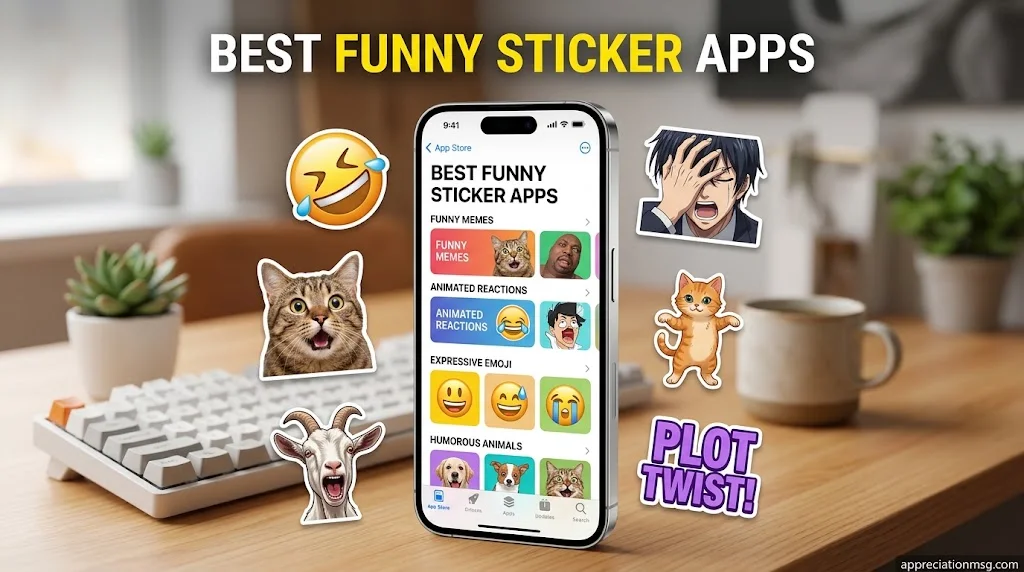
Good apps keep your sticker pack fresh. Pick by need: free, memes, motion, or cross-app use.
Popular Stickers: It is free with in-app purchases, and its sticker, emoji, and message categories add text under stickers. An ad-free upgrade costs $3.99. See it on the App Store.
SigStick Meme Sticker Pack: You can add this pack to WhatsApp, Telegram, Signal, or iMessage, or use it on Discord. Browse it on SigStick.
GIPHY: It sorts funny content into GIFs, Stickers, and Clips. Explore funny GIFs on GIPHY for animated reactions.
Is it safe to install sticker apps?
Check three things first:
Age rating: Popular Stickers lists 13+ and notes infrequent crude humor.
Privacy labels: The developer says identifiers may be used to track you across other companies’ apps and sites. Read each app’s label before you install.
Compatibility: Popular Stickers requires iOS 16 or later.
Funny iMessage Effects and iPhone Tricks
Stickers pair well with effects. These extras make any thread feel alive.
What are some funny text effects I can use in iMessage?
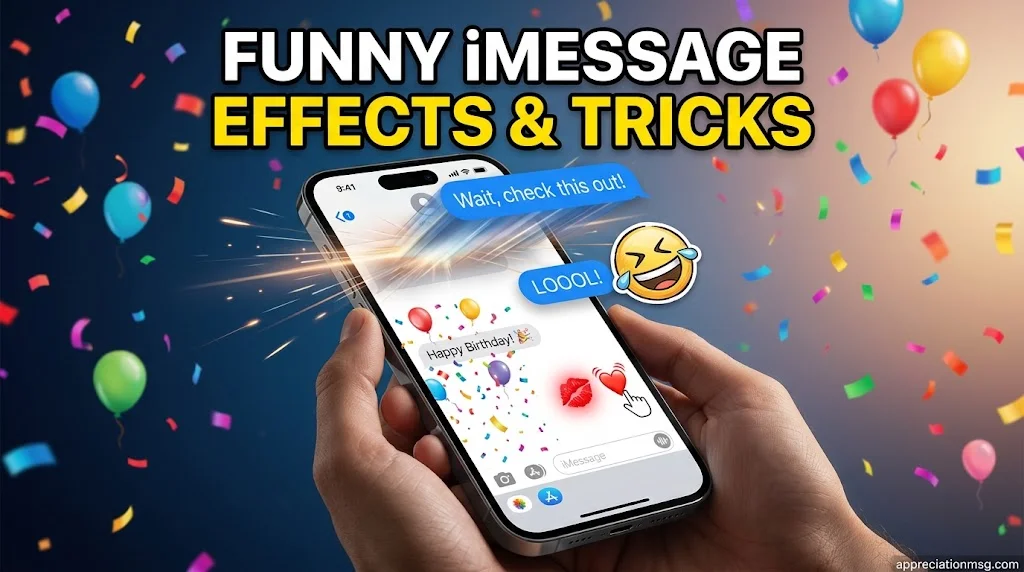
Bubble effects change how a message lands. Examples are Slam, Loud, Gentle, and Invisible Ink. Invisible Ink looks like static until the reader taps to reveal the text.
Screen effects fill the whole screen with Balloons, Confetti, Lasers, and more. Typing “Happy birthday” triggers one automatically.
Tapback reactions let you reply without a new message. Tap and hold a message to see them.
How do you do the kiss effect on iMessage? Use Digital Touch.
Open a chat in Messages.
Tap the Digital Touch icon in the app drawer.
Tap the screen with two fingers to send a kiss.
Touch and hold with two fingers to send a heartbeat. Touch and hold with one finger for a fireball. Apple explains each gesture in its Digital Touch guide.
What are some funny iPhone tricks?
Sticker-bomb a photo or message with five stickers.
Turn your dog’s best pose into a Live Sticker.
Match a sticker to a screen effect for perfect timing.
Etiquette tip
Skip jokey stickers in work or serious chats. Save the chaos for friends.
FAQs
What are some funny or weird stickers I can use on my iPhone?
Try surreal meme faces, shocked hamsters, dramatic goats, and “Zero Thoughts” text stickers. Live Stickers made from your own odd photos are the weirdest and the most personal. Mix them with giant emoji stickers for extra comedy.
How do people get funny stickers on iPhone?
They open Messages, tap the plus button, and choose Stickers. Then they add packs from sticker apps in the App Store. Apple also lets you make Live Stickers from photos and save stickers friends send.
What are some funny stickers for iMessage?
Good picks include Side-Eye Stare, Plot Twist Face, Mic Drop, Judging Dog, and “Respectfully, No.” Meme and animal reactions get the biggest laughs in a group chat. The full list of 100 above covers every mood.
What are some funny text effects I can use in iMessage?
Use Slam, Loud, Gentle, or Invisible Ink for bubbles. Use Balloons, Confetti, or Lasers for the screen. Tap and hold any message to send a Tapback reaction. Pair an effect with a sticker for the best punchline.
What are some funny iPhone tricks?
Stack stickers on a single bubble. Turn a pet photo into a Live Sticker. Send a Digital Touch fireball or kiss. Time a screen effect with a sticker for a perfect punchline. These tricks work right inside Messages.
How to do the kiss effect on iMessage?
Open Messages, then tap the Digital Touch icon in the app drawer. Tap the screen with two fingers. The kiss sends on its own once you finish the gesture. Older software may show the recipient a still image instead.
Conclusion
Funny stickers turn short texts into real moments. Start with five favorites from the list, set up your sticker drawer, and add one effect. Then send one to a friend today and watch the replies roll in.
A R Gujjar is a passionate writer sharing appreciation, heartfelt, funny, and thank-you messages to help readers express their feelings with meaningful words.













1 thought on “100+ Funny Stickers for iPhone Messages to Make Every Chat Hilarious and Unforgettable”