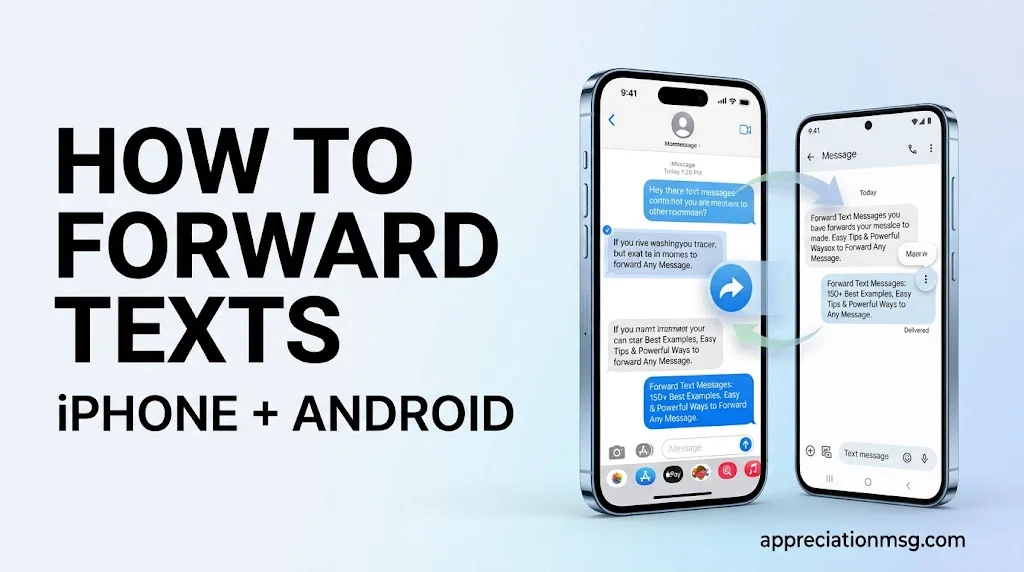
To forward text messages, press and hold the message. Tap More on iPhone or the three dots on Android. Then tap Forward, pick a contact, and send.
Simple, but there is a catch. The new reader sees your name, not the original sender. This guide shows you how to forward a text message the smart way. You get 150 ready-to-use examples, safety tips, and automatic forwarding options.
Table of Contents
How to Forward Text Messages on iPhone and Android
Every phone can forward a text by hand in under 10 seconds. Some phones can also forward texts to another phone automatically.
How do I forward a text message on iPhone?
Open Messages and touch and hold the message bubble.
Tap More….
Tap the forward arrow in the lower-right corner.
Type a name or phone number.
Tap the Send arrow.
Tap more bubbles before step 3 to forward several messages at once. Apple explains the same steps in its forward and share messages guide.
How do I forward a text message on Android?
Open Messages.
Touch and hold the message.
Tap the three vertical dots.
Tap Forward.
Choose a contact or tap New message to type a number.
Tap Send.
Samsung and Google Pixel screens look a little different, but the steps match. Google Messages may let you forward one message at a time.
How do I forward text messages to my Mac, iPad, or Apple Vision Pro?
Use Text Message Forwarding. Per Apple Support, it lets SMS, MMS, and RCS messages from your iPhone also show up on your Mac, iPad, and Apple Vision Pro.
First, sign in to iCloud with the same Apple Account on every device. Next, go to Settings > Apps > Messages > Text Message Forwarding and switch on each device. If you use Messages in iCloud, forwarding is already built in.
iPhone vs. Android at a glance
Feature
iPhone
Android
Manual forward
Yes, via More…
Yes, via the three dots
Forward several at once
Yes
Often one at a time
Built-in auto-forward
Only to your own Apple devices
No, needs an app or VoIP service
Shows original sender
No
No
Why does a forwarded text look different?
The message leaves from your number. The person you send it to will not see who first wrote it. A blue bubble means iMessage. A green bubble means SMS or MMS. Add a short note, or send a screenshot, so the sender’s name stays visible.
150 Best Examples of Forward Text Messages
Use these lines as a note on top of any forwarded text. Copy, tweak, and send.
Family and friends
#
Example
1
“Here’s the address Mom sent. See you Saturday.”
2
“Look at this photo Dad just texted me!”
3
“Forwarding the dinner plan. Does 7 p.m. work?”
4
“Grandma’s flight details are below.”
5
“Sarah sent this about the party. Can you bring ice?”
6
“Here’s the Wi-Fi password Jake gave me.”
7
“Forwarding the carpool schedule. Please check Tuesday.”
8
“This is the link to the game tickets.”
9
“Uncle Ray’s new number is in this text.”
10
“See the message from the landlord. Thoughts?”
11
“Forwarding the recipe Aunt Lisa texted.”
12
“Here’s the group chat plan for the trip.”
13
“Check this funny text from Mia.”
14
“Forwarding the pickup time for the kids.”
15
“Here’s the hotel confirmation for the reunion.”
16
“Dad’s birthday plan is below. Keep it secret!”
17
“This is where we’re meeting. Tap the map pin.”
18
“Forwarding the vet’s reminder for Max.”
19
“Here’s the photo from the baby shower.”
20
“Please read what Chris said about Sunday.”
Work and team updates
#
Example
21
“Forwarding the client’s request. Can you take this?”
22
“Here’s the shift change my manager sent.”
23
“Please review this approval text before noon.”
24
“FYI: the meeting moved to 3 p.m.”
25
“Forwarding the delivery update for your records.”
26
“The vendor confirmed the order. See below.”
27
“Here’s the supplier’s price quote.”
28
“Looping you in on this customer message.”
29
“Forwarding the site visit time for tomorrow.”
30
“The boss approved the overtime. Details below.”
31
“Here’s the schedule for next week.”
32
“Please handle this urgent text while I’m out.”
33
“Forwarding the invoice reminder.”
34
“The client changed the deadline. See the text.”
35
“Here’s the parking info for the conference.”
36
“Sharing the feedback the customer texted.”
37
“Forwarding the sick-day notice from Dana.”
38
“This text has the office door code. Please delete it after use.”
39
“Here’s the contractor’s arrival window.”
40
“Forwarding the safety alert from the site lead.”
41
“Check this text about the payroll change.”
42
“Here’s the interview time the recruiter sent.”
43
“Sharing the project update from our partner.”
44
“Forwarding the supervisor’s reply.”
45
“Please add this to the team notes.”
Customer service and sales
#
Example
46
“New lead texted us. Please call back today.”
47
“Customer reports a late delivery. Can you check?”
48
“Forwarding a refund request for approval.”
49
“This client wants a quote by Friday.”
50
“A customer left five-star feedback. See below.”
51
“Please follow up with this caller about pricing.”
52
“Forwarding a complaint for the support team.”
53
“The buyer asked about a discount. Thoughts?”
54
“This customer wants to reschedule.”
55
“Please send the warranty details to this number.”
56
“Forwarding a product question from a shopper.”
57
“New order request from a repeat customer.”
58
“This client wants a demo next week.”
59
“Please confirm stock for this customer’s request.”
60
“Forwarding an after-hours message for the morning team.”
61
“The customer sent a photo of the damage.”
62
“Logging this text in the CRM for the record.”
63
“This shopper needs a tracking number.”
64
“Forwarding a payment question to billing.”
65
“Customer asks about our return policy.”
66
“Please reply to this VIP client first.”
67
“Forwarding a no-show notice for the account.”
68
“The client approved the proposal. See text.”
69
“This customer wants a price match.”
70
“Sharing a testimonial text for our website (with permission).”
Appointments and reminders
#
Example
71
“Forwarding my dentist reminder for Tuesday.”
72
“Here’s the doctor’s office text. Can you drive me?”
73
“My salon appointment is at 2 p.m. Details below.”
74
“The delivery window is 1 to 3 p.m. See text.”
75
“Forwarding the vet appointment for Bella.”
76
“Here’s the repair visit time from the plumber.”
77
“Parent-teacher meeting details are below.”
78
“The car service reminder is attached.”
79
“Please remind me about this on Friday.”
80
“Forwarding the lab appointment notice.”
81
“My haircut got moved. See the new time.”
82
“Here’s the movers’ arrival text.”
83
“The inspection is booked. Message below.”
84
“Forwarding the pharmacy pickup alert.”
85
“Here’s the tutoring session reminder.”
Receipts, confirmations, and alerts
#
Example
86
“Forwarding my order confirmation for your records.”
87
“Here’s the receipt text for the return.”
88
“This payment confirmation shows the date and amount.”
89
“Sharing the booking number from the airline.”
90
“Forwarding the rental car confirmation.”
91
“Here’s the bank alert I mentioned. Account numbers hidden.”
92
“This is the shipping confirmation for your gift.”
93
“Forwarding the reservation text for tonight.”
94
“Here’s the refund notice from the store.”
95
“Sharing the subscription renewal text.”
96
“Forwarding the package-received message.”
97
“Here’s the ticket confirmation for the show.”
98
“This is the sign-up confirmation from the gym.”
99
“Forwarding the insurance claim text for your files.”
100
“Here’s the proof of payment. Please confirm receipt.”
Travel, tickets, and delivery
#
Example
101
“Forwarding the gate change from the airline.”
102
“Here’s the hotel check-in text.”
103
“Your shuttle pickup time is below.”
104
“Forwarding the boarding pass link.”
105
“The tour starts at 9 a.m. Details below.”
106
“Here’s the ride confirmation with the driver’s name.”
107
“Your package is out for delivery. See the text.”
108
“Forwarding the flight delay notice.”
109
“Here’s the parking reservation.”
110
“The campsite confirmed our booking.”
111
“Forwarding the train ticket text.”
112
“Here’s the cruise check-in reminder.”
113
“Your luggage tracking update is below.”
114
“Forwarding the car rental pickup details.”
115
“The concert venue sent entry rules. See below.”
School, church, and community
#
Example
116
“Forwarding the school closing alert.”
117
“Here’s the PTA meeting text.”
118
“Choir practice moved to 6 p.m.”
119
“The coach sent the game schedule.”
120
“Forwarding the neighborhood watch notice.”
121
“Here’s the volunteer sign-up message.”
122
“The church service time changed. See below.”
123
“Forwarding the bake sale reminder.”
124
“Here’s the field trip permission notice.”
125
“The HOA sent a trash pickup update.”
Legal, HR, and record-keeping
#
Example
126
“Forwarding this text to keep a record.”
127
“Saving this agreement text for my files.”
128
“Sharing the landlord’s notice for my records.”
129
“Forwarding the harassment report text to HR.”
130
“Here’s the written confirmation of our deal.”
131
“Please keep this message for the case file.”
132
“Forwarding the contractor’s price promise.”
133
“Here’s the text that shows the delivery date.”
134
“Sharing the time-off approval for payroll.”
135
“Forwarding this message to my attorney.”
Quick context notes for any forward
#
Example
136
“FYI, no reply needed.”
137
“Please read this one first.”
138
“Original sender: Mark. He texted me today.”
139
“Can you answer this for me?”
140
“Urgent: please act today.”
141
“Forwarded with permission.”
142
“Need your approval on this.”
143
“Thought you’d like this.”
144
“Please keep this private.”
145
“Heads up: this changes our plan.”
146
“Can you confirm this is correct?”
147
“Saving this here for later.”
148
“Sent from Jenna at 4:15 p.m.”
149
“Please share this with the team.”
150
“Let’s talk about this on a call.”
Easy Tips to Forward Any Message Safely
Forwarding is a daily habit. About 91% of US adults own a smartphone, up from 35% in 2011, per Pew Research Center. A few smart habits keep your text message forwarding safe.
Add context first. The receiver cannot see the original sender. Type a short note, such as “Original text from Mark.”
Hide private details. Blur account numbers, addresses, and ID numbers before you forward. Never forward a one-time verification code. It guards your accounts.
Pick the right format. Use forward for a full message. Use copy and paste for one part. Use a screenshot when the sender’s name, time, and date matter.
Check file size for photos and videos. A forwarded MMS can fail or shrink if it goes over your carrier’s size limit. Carriers such as Verizon, AT&T, and T-Mobile set their own caps.
Ask before you share someone else’s words. A forwarded personal text can break trust. For business, get customer consent before you pass messages to outside tools.
Review who sees your texts. If Text Message Forwarding is on, any signed-in device on your Apple Account can show your messages. Remove old devices you no longer use.
Powerful Ways to Forward Text Messages Automatically
Manual forwarding gets slow for teams. Automatic forwarding sends each new text to the right place without a tap.
Text-to-email. A VoIP or virtual phone service can send each incoming text to your inbox. This helps with record-keeping and with checking messages when you leave your phone at home.
Slack. Route business texts into a Slack channel so the whole team sees customer replies in real time.
CRM sync. Tools like HubSpot and Salesforce can log texts on the customer’s record. No more typing notes by hand.
Zapier and Make. These apps use triggers, such as time of day or sender, to send texts to spreadsheets, help desks, or an on-call phone.
Shared numbers. One business number can open on every teammate’s device. Everyone sees the same shared inbox and full conversation history. Nothing gets lost in a forward.
Google Voice. It can alert you by email when a text arrives, which helps if you use it as a second number.
Text forwarding vs. call forwarding. They are not the same. Call forwarding often does not include texts. You need a separate setup for SMS forwarding.
Which method fits you?
Your need
Best option
Send one text to a friend
Manual forward
See texts on your Mac or iPad
Text Message Forwarding or Messages in iCloud
Share customer texts with a team
Shared number or VoIP inbox
Log texts in a CRM
HubSpot or Salesforce sync
Build custom rules
Zapier or Make
If your business handles health data, use a platform that is HIPAA-eligible.
FAQs
Can I forward text messages to another phone?
Yes. You can forward any text by hand to any phone number. Press and hold the message, tap Forward, and enter the number. For automatic forwarding to another phone, you need a VoIP service or a forwarding app.
How do I forward texts to another number on my iPhone?
Touch and hold the message, tap More, tap the forward arrow, type the number, and tap Send. The built-in Text Message Forwarding setting only sends texts to your own Apple devices, not to another number.
Why can’t I forward text messages?
Common causes include no Wi-Fi or cell signal, a loose SIM card, a carrier outage, iMessage glitches, or old software. Restart your phone, update it, and toggle iMessage off and on. On Android, Google Messages may allow only one message at a time.
How do I forward an already sent text?
Use the same steps. Touch and hold your own sent bubble. On iPhone, tap More and the forward arrow. On Android, tap the three dots and Forward. Then pick a contact and send.
How do I forward SMS messages to another phone number?
Forward them by hand, one by one. For automatic SMS forwarding, use a virtual number, a VoIP platform, or an SMS forwarding app. Phones have no universal forwarding code, so you set it up in the app or your account settings.
Can someone access my text messages from another phone?
Yes, it is possible. Risks include Text Message Forwarding on a shared Apple Account, a SIM swap, spyware, or a shared login. Check Settings > Messages, remove devices you don’t know, use two-factor authentication, and change your passwords.
Conclusion
You now know how to forward text messages on iPhone and Android, with 150 notes ready to copy. Always add context, hide private details, and get consent when needed.For teams, shared numbers and automatic forwarding save time and keep every conversation in one place. Pick the method that fits you and start today.
A R Gujjar is a passionate writer sharing appreciation, heartfelt, funny, and thank-you messages to help readers express their feelings with meaningful words.

















1 thought on “Forward Text Messages: 150+ Best Examples, Easy Tips & Powerful Ways to Forward Any Message”